To connect the AMS system to the X1C, please follow the steps below:
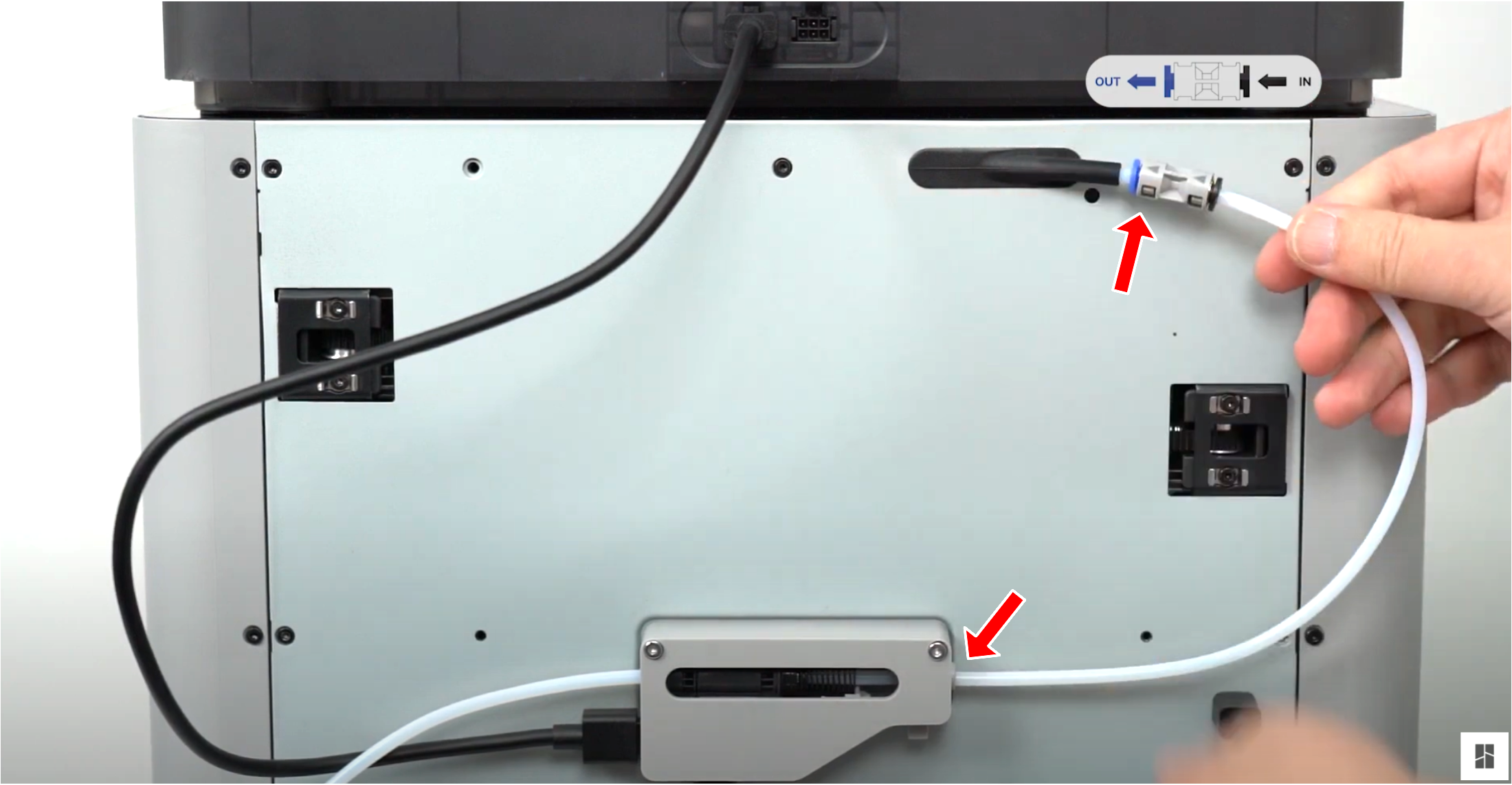
ake the PTFE tube from inside the AMS unit, and connect it from the blue PTFE coupler on the machine to the filament buffer in the back.
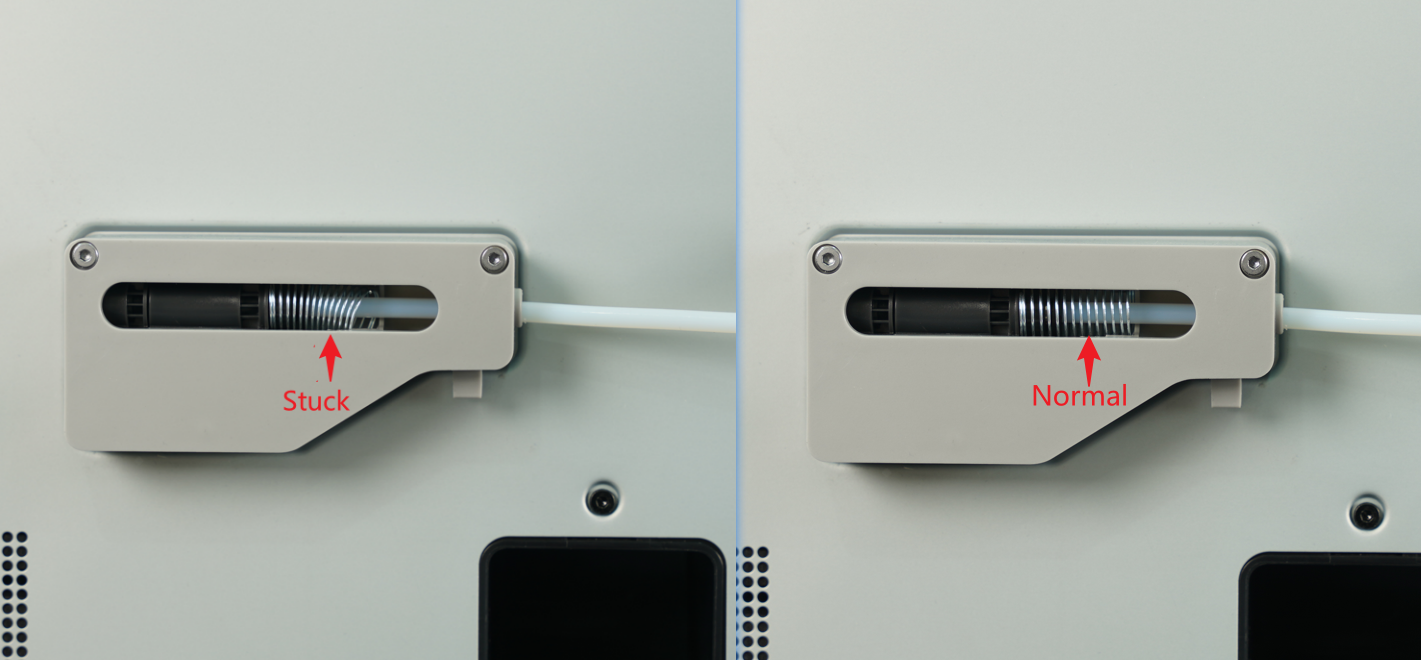
Make sure the spring of the buffer is not stuck
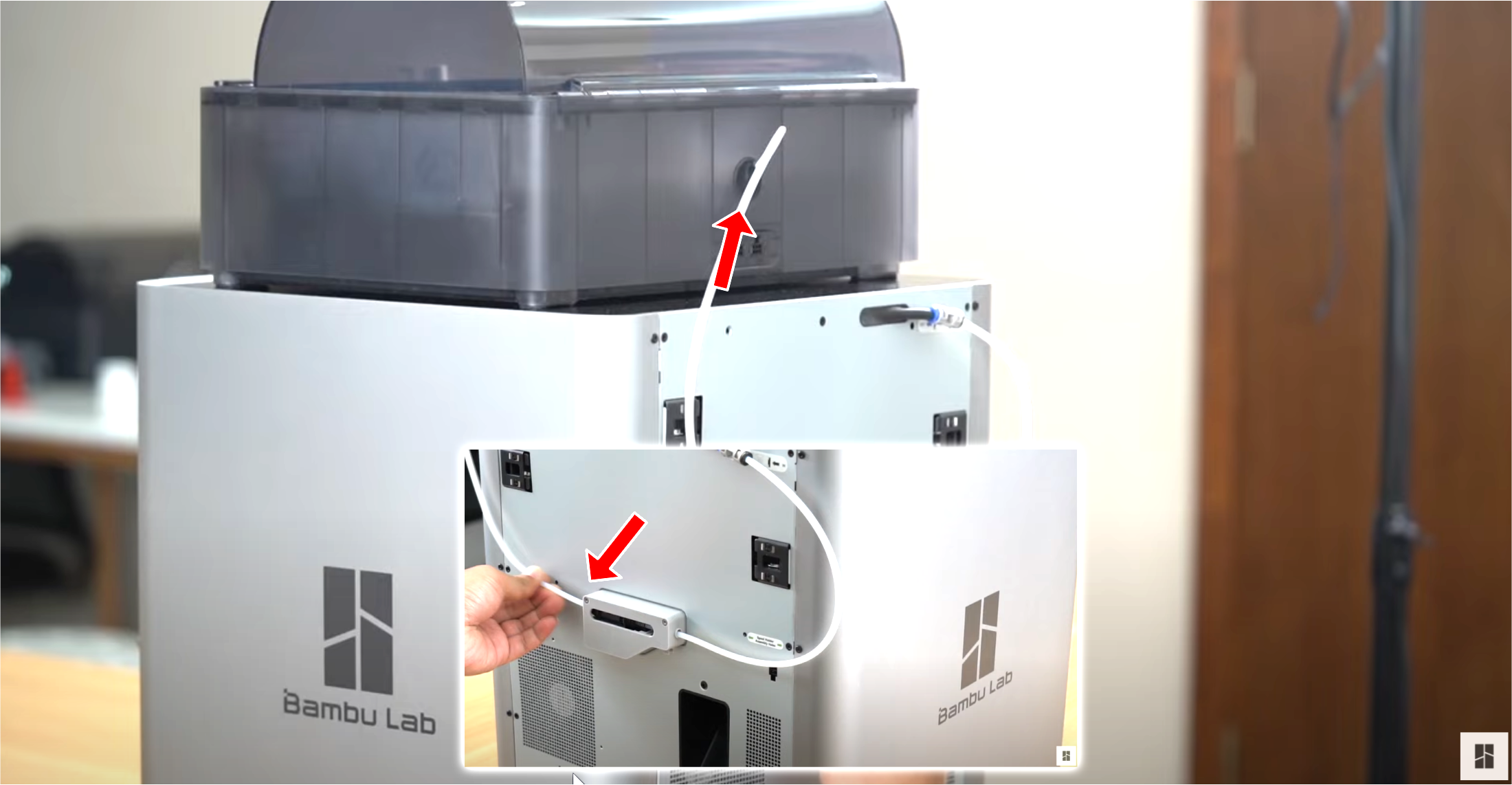
Take the PTFE tube which is already connected to the AMS unit, and connect it to the left side of the filament buffer.
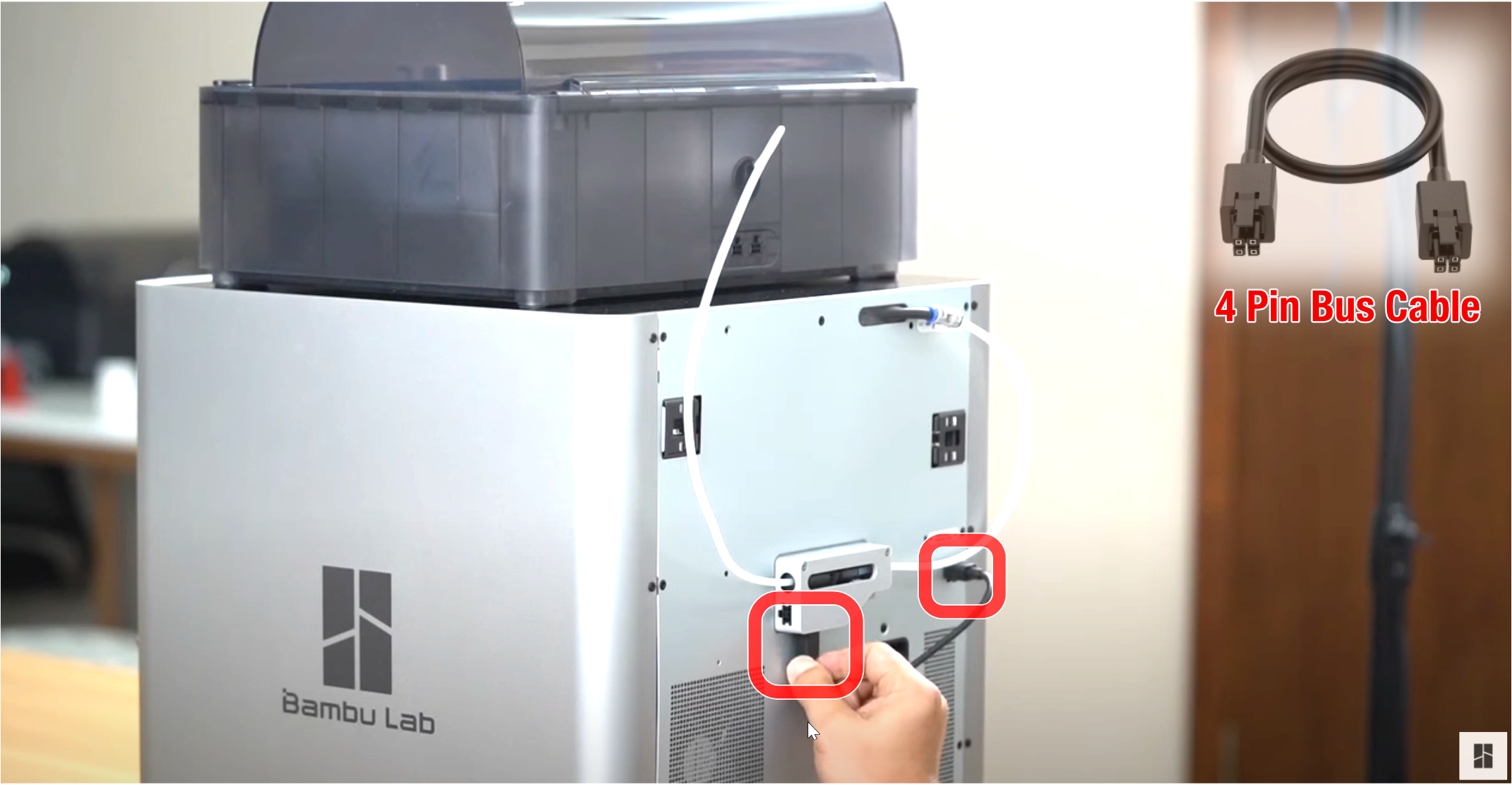
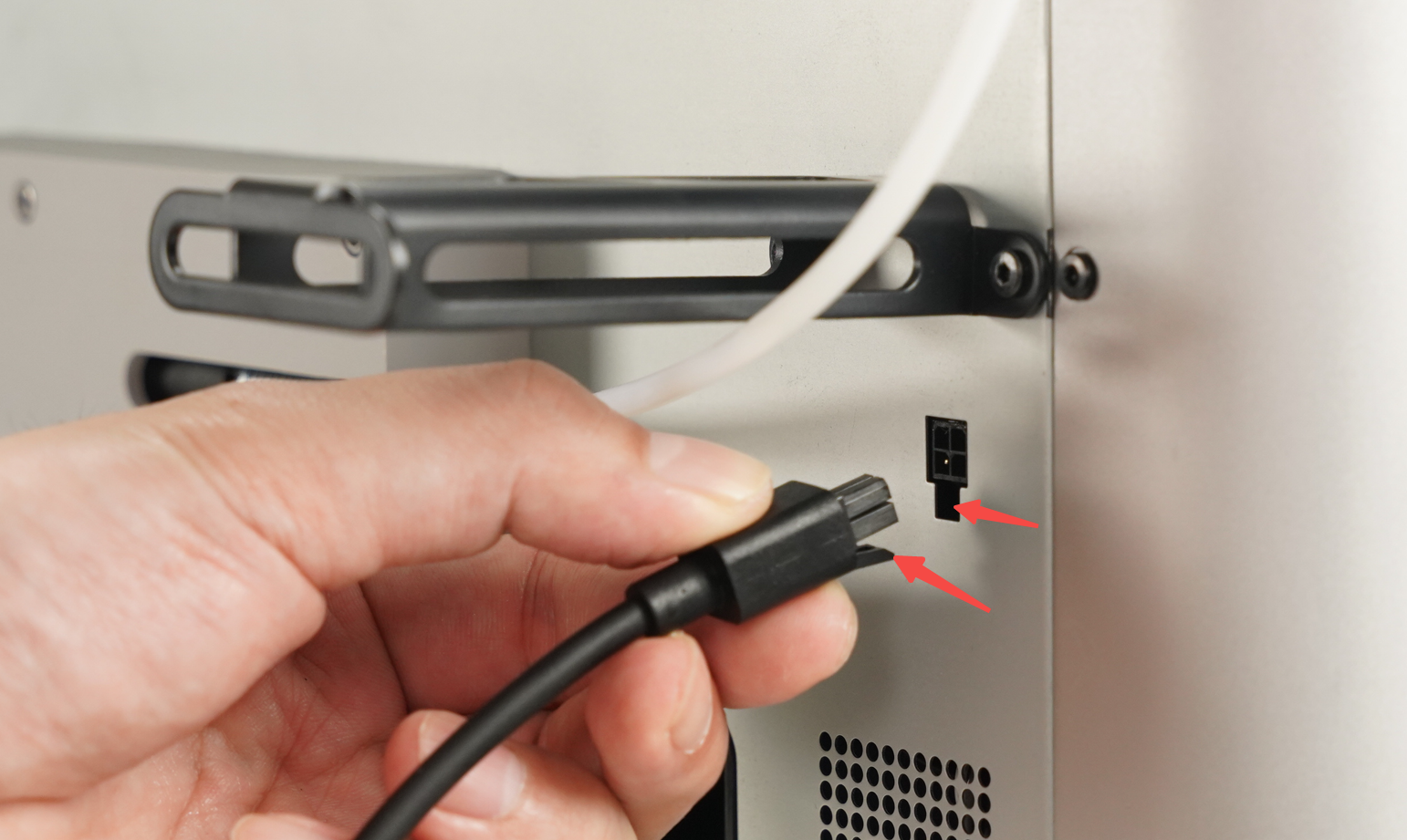
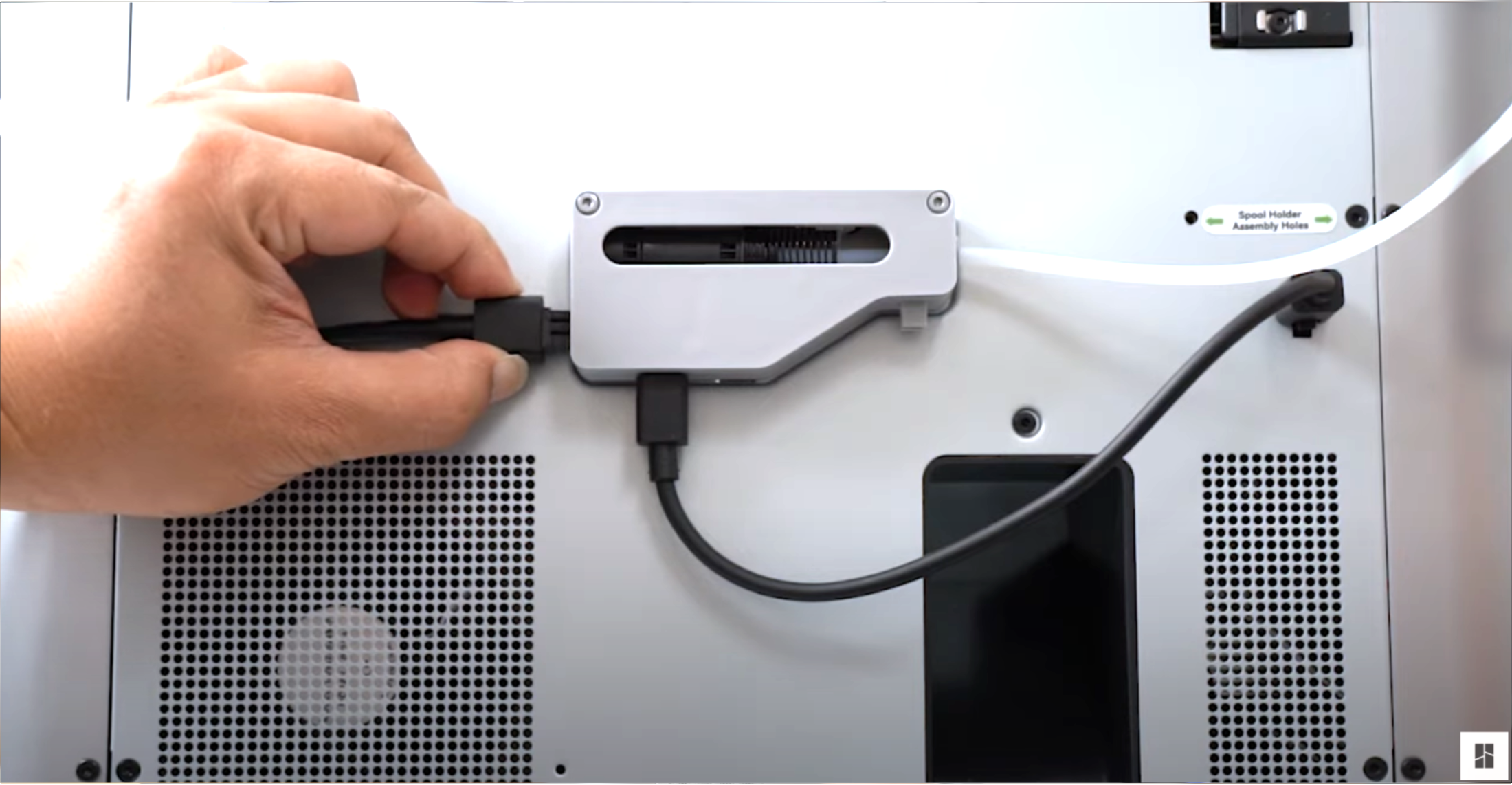
Connect the four-pin cable to the connector located at the bottom of the filament buffer, then proceed to connect it to the printer as shown below.
Note: Do not insert the 4-pin cable in the wrong direction. If you are using an L-shaped plug cable, pay attention to the text prompts on it. If you insert the 4-pin cable in the wrong direction, it may cause the printer and AMS mainboard to burn down.
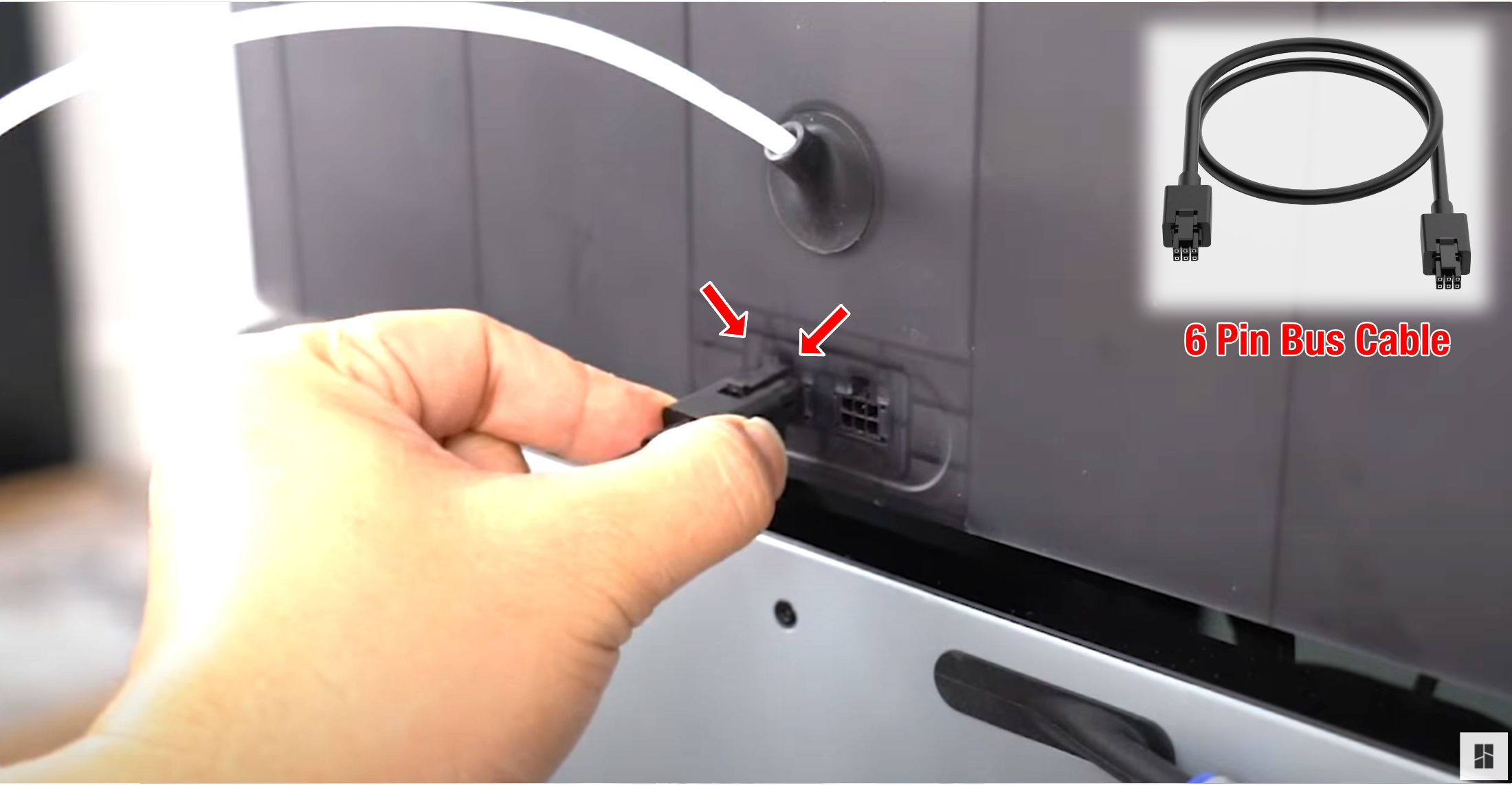
Connect the six-pin cable to the first connector on the AMS, and the other side needs to be connected to the connector located on the left side of the filament buffer.
If the spool holder is installed, place the PTEF tube under the holder to reduce resistance of loading/unloading